Free · No sign-up
Image to pixel art converter
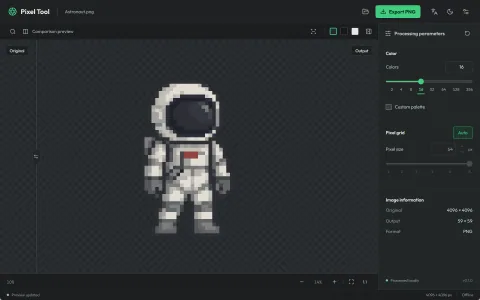
Turn a photo, picture, drawing or AI image into clean pixel art. Choose the pixel size and a palette, then download a PNG. Free and private: everything runs in your browser.
Drop an image here
Or paste one. PNG, JPG, WebP, GIF or BMP up to 20 MB.
Runs in your browser. Images are never uploaded.
How to turn an image into pixel art
Add an image
Drop, paste or choose a photo, drawing, screenshot or AI image.
Set size and palette
Keep Auto to find the pixel grid, or set the pixel size yourself. Limit the colors or pick a classic palette.
Download or animate
Download the PNG at its real pixel size or scaled up, or send it to the studio to animate.
A pixel art converter built for game art
Finds the pixel grid
Auto mode detects the grid in pixel-style images and snaps every cell to one clean color, so blurry AI pixel art comes out crisp.
25 classic palettes
PICO-8, Game Boy, ENDESGA, DawnBringer, AAP-64, C64, CGA, EGA and more, or up to 256 colors taken from the image.
Private by design
Conversion runs on your device. Nothing is uploaded, and there is no sign-up or watermark.
Exact-size PNG
Download one pixel per cell for game engines, or a scaled copy with sharp edges for sharing.
Animate the result
Send the sprite to the Gridize studio and turn it into an idle, attack or spell animation with AI.
Same engine on desktop
Gridize Desktop runs this converter offline on Windows, with a magnifier, custom HEX palettes and more grid modes.
FAQ
Image to pixel art FAQ
Yes. Converting and downloading are free, with no account, no limit and no watermark. Only AI generation in the studio uses credits.
No. The converter runs in your browser with WebAssembly. Your image stays on your device unless you choose to send the result to the studio.
Start with Auto. For photos and drawings, a bigger pixel size gives a smaller, chunkier sprite: try 8 to 16 for icons and characters, or 4 to 6 to keep more detail.
Yes. AI images often have uneven, blurry pixels. Auto mode finds the intended grid and rebuilds each cell as a single color, giving you real pixel art at its true size.
25 presets, including PICO-8, Game Boy, Sweetie 16, ENDESGA 32 and 64, DawnBringer 16 and 32, AAP-64, Resurrect 64, C64, CGA, EGA, Atari 2600 and Duel 256. Colors are matched by how similar they look, not just by RGB values.
Yes. Choose Animate this sprite to open it in the Gridize studio. New accounts get free credits to try AI animation.
Yes. Turn Auto off and raise the pixel size to pixelate any image into bigger blocks, then limit the colors for a retro look. Unlike a blur filter, every block becomes one clean color you can edit.
More pixel art tools
 AI pixel art generatorDescribe a character and get game-ready pixel sprites in seconds.
 Pixel art animationTurn any sprite into idle, attack or spell animations.
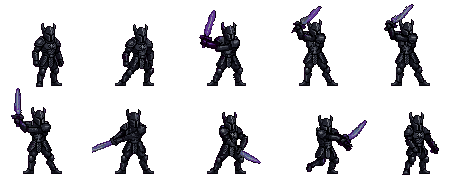 Sprite sheet generatorExport animations as sprite sheets with frame timing JSON.
 Text to pixel artFreeFree 16x16 and 32x32 sprites from a prompt, in your browser
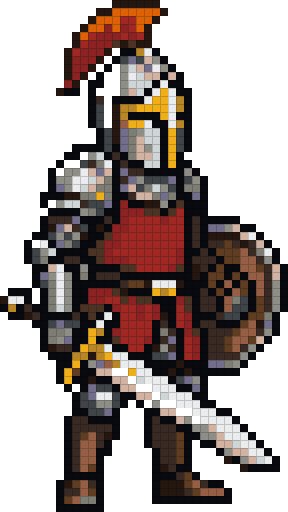 Minecraft pixel artFreeImages to block builds with a block list and commands.
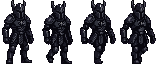 Sprite sheet makerFreePack frames or a GIF into one sprite sheet with frame JSON.
 DesktopThe converter offline on Windows, with more settings.
Make your first animated sprite today
Sign up, verify your email and get 30 free credits to try the studio.