Free · No sign-up
Minecraft pixel art generator
Turn any image into a Minecraft pixel art build. Choose the size and the blocks, then get an exact block list and ready-to-run commands for Java or Bedrock. Free, no sign-up, right in your browser.
Drop an image here
Or paste one. PNG, JPG, WebP, GIF or BMP up to 20 MB.
Runs in your browser. Images are never uploaded.
How to make Minecraft pixel art
Add an image
Drop, paste or choose a picture, a sprite or a logo. Transparent areas stay air.
Pick size and blocks
Choose 32, 64 or 128 blocks wide (or any width up to 256) and which blocks to use.
Build it
Gather the blocks from the list, or run the commands to place the whole build at once.
Built for real Minecraft builds
Exact block list
Every block you need, with counts in stacks of 64 and a CSV to take into survival.
Java and Bedrock commands
setblock and fill commands with the right block IDs for each edition, as a .mcfunction file or copy and paste.
True block colors
Colors are matched to the average color of each block's texture, compared by how they look rather than raw RGB.
Block grid
Count blocks on screen with a grid line per block and a heavier line every 16, one chunk.
Any size
32, 64 and 128 blocks wide in one click, or any width from 8 to 256; height follows your image.
Private by design
Images stay on your device. No sign-up, no watermark, no limits.
Java or Bedrock?
Block IDs and function folders differ between editions. Pick your edition above and the commands follow; here is where the file goes.
Java Edition
Commands use minecraft: IDs such as minecraft:white_wool. Put the file in a datapack's function folder (functions before 1.21), run /reload, then call it.
data/pixel/function/pixel_art.mcfunction
/function pixel:pixel_art
Bedrock Edition
Commands use plain IDs such as white_wool; plain terracotta is hardened_clay. Functions only run from a behavior pack enabled in your world.
behavior_packs/<pack>/functions/pixel_art.mcfunction
/function pixel_art
Minecraft pixel art ideas
Game characters make great builds. These were made with this generator from Gridize sprites, using wool, concrete and terracotta.
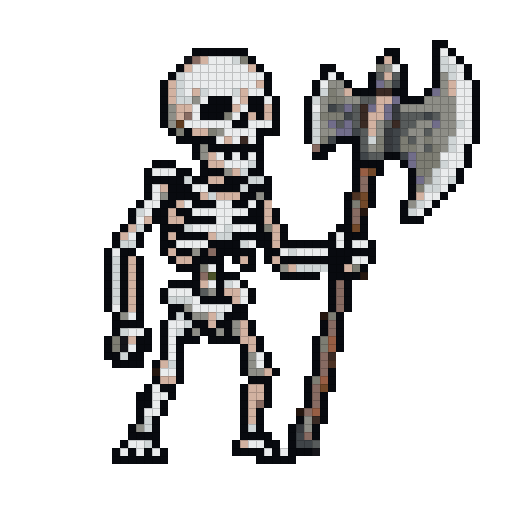
Skeleton warrior
64 × 64 · 1,145 blocks · 19 types
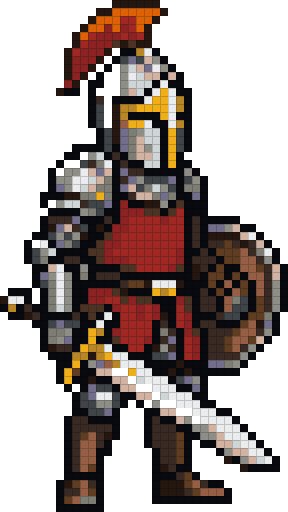
Knight
36 × 64 · 1,230 blocks · 18 types
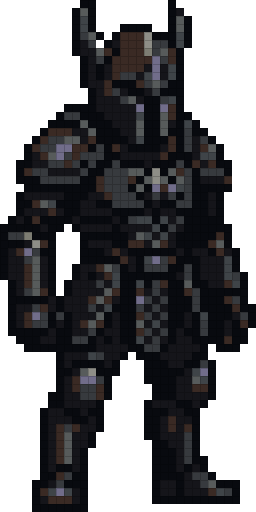
Dark knight
32 × 64 · 1,255 blocks · 9 types
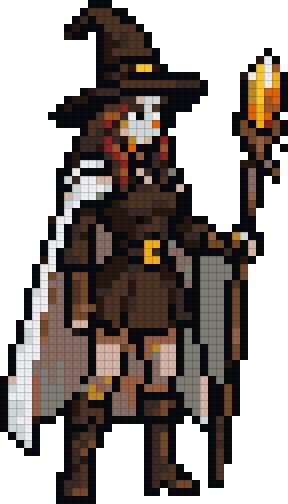
Mage
36 × 63 · 1,297 blocks · 17 types
FAQ
Minecraft pixel art FAQ
The block list shows the exact count for each block, in stacks of 64. A 64-block-wide character usually needs 1,000 to 2,000 blocks; transparent areas need none.
Download the .mcfunction file, put it in data/pixel/function/ inside a datapack in your world's datapacks folder, run /reload and then /function pixel:<name>. Stand where the build should start; commands place blocks relative to you.
Yes. Switch the edition to Bedrock for Bedrock block IDs. Put the .mcfunction file in the functions folder of a behavior pack, turn the pack on in your world and run /function <name>. Cheats must be enabled.
Concrete gives flat, bright colors and wool adds softer shades. Adding terracotta brings earthy browns, skin tones and muted colors, which helps characters and photos.
Yes. Turn on dithering for photos and gradients. For a cleaner look, convert the photo with the image to pixel art converter first and use the result here.
It is free with no account. Gridize is not an official Minecraft product and is not associated with Mojang or Microsoft.
More pixel art tools
 AI pixel art generatorDescribe a character and get game-ready pixel sprites in seconds.
 Pixel art animationTurn any sprite into idle, attack or spell animations.
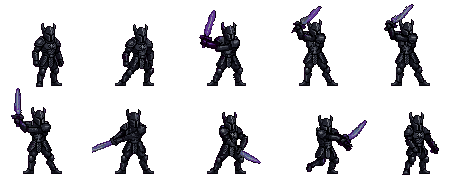 Sprite sheet generatorExport animations as sprite sheets with frame timing JSON.
 Text to pixel artFreeFree 16x16 and 32x32 sprites from a prompt, in your browser
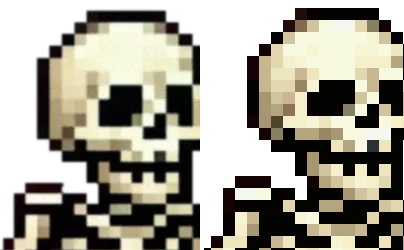 Image to pixel artFreeTurn any image into clean pixel art, right in your browser.
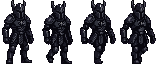 Sprite sheet makerFreePack frames or a GIF into one sprite sheet with frame JSON.
 DesktopThe converter offline on Windows, with more settings.
Related guides
Not an official Minecraft product. Not approved by or associated with Mojang or Microsoft.
Make your first animated sprite today
Sign up, verify your email and get 30 free credits to try the studio.