Free · No sign-up
Free sprite sheet maker
Turn PNG frames or an animated GIF into one sprite sheet. Set columns, spacing and alignment, preview the animation, then download the PNG and its frame data. Everything runs in your browser.
Drop frames or an animated GIF
Or paste them. PNG, JPG, WebP, GIF or BMP, up to 256 frames.
Runs in your browser. Images are never uploaded.
How to make a sprite sheet
Add frames
Drop PNG frames, paste them, or drop an animated GIF or WebP to split it into frames.
Arrange the sheet
Drag frames into order, then set columns, spacing and alignment while the preview plays.
Download
Save the PNG sprite sheet and a JSON file with every frame's position and duration.
A sprite sheet maker for game developers
GIF to sprite sheet
Animated GIF and WebP files split into frames automatically, keeping each frame's duration.
Frames of any size
The largest frame sets the cell size. Bottom alignment keeps feet on the same line in every cell.
Engine-ready JSON
Frame x, y, size and duration for Godot, Unity, Phaser or your own code, in the same format as Gridize animation exports.
Drag to reorder
Files load in natural name order (frame2 before frame10); drag any frame to change it.
Private by design
Frames never leave your device, and there is no sign-up or watermark.
Need frames? Use AI
Animate one sprite into idle, attack or spell frames in the Gridize studio, then pack them here.
FAQ
Sprite sheet maker FAQ
A sprite sheet is one image that holds every frame of an animation in a grid. Game engines load the sheet once and show one cell at a time, which is faster than loading many separate files.
Yes. Drop an animated GIF or WebP and it is split into frames with their original durations. This works in Chrome, Edge and other browsers that support image decoding; elsewhere only the first frame loads.
Every cell has the same size, shown in the JSON as width and height. In Godot set hframes and vframes on a Sprite2D, in Unity slice the sprite by cell size, and in Phaser load it as a spritesheet with that frameWidth and frameHeight. Add the spacing value if you used any.
The cell size comes from the largest frame. Smaller frames are centered horizontally and placed at the bottom or center of their cell, so the animation does not jump.
Yes. Making and downloading sprite sheets is free, with no account and no watermark. Only AI generation in the studio uses credits.
Upload it to the Gridize studio and describe the motion. The AI animates it into 9 to 49 frames on a clean pixel grid, and you can export a sprite sheet directly or pack the frames here.
More pixel art tools
 AI pixel art generatorDescribe a character and get game-ready pixel sprites in seconds.
 Pixel art animationTurn any sprite into idle, attack or spell animations.
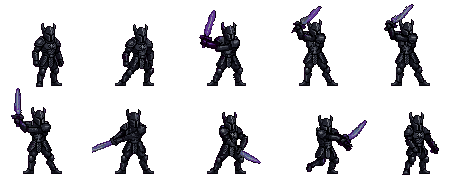 Sprite sheet generatorExport animations as sprite sheets with frame timing JSON.
 Text to pixel artFreeFree 16x16 and 32x32 sprites from a prompt, in your browser
 Image to pixel artFreeTurn any image into clean pixel art, right in your browser.
 Minecraft pixel artFreeImages to block builds with a block list and commands.
 DesktopThe converter offline on Windows, with more settings.
Make your first animated sprite today
Sign up, verify your email and get 30 free credits to try the studio.