Animate pixel art
Pixel art animation with AI
Animate pixel art in minutes. Drop in a sprite or make one from a prompt, describe the motion, and get a frame-by-frame animation that stays on a clean pixel grid. Export GIF, WebP, PNG frames or a sprite sheet.
No card required. 30 free credits once you verify your email.
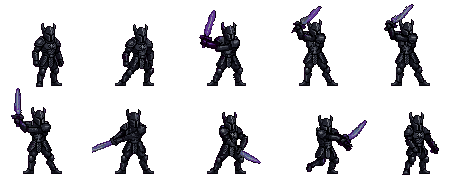
Real sprites animated in Gridize


How to animate pixel art in 3 steps
Add your sprite
Upload your own pixel art or character image, or generate a sprite from a prompt. Gridize removes the background and fits it to a 32 or 64 px grid.
Describe the motion
Write what should happen, such as "slashes with a dagger" or "breathes while idle", choose 9 to 49 frames and optionally add reference images on later frames.
Export for your game
Drop or hold frames, set loop or ping-pong playback, then download a GIF, animated WebP, PNG frames or a sprite sheet with timing JSON.
Why animate pixel art with Gridize
Grid-true pixels
No blurry pseudo-pixels: every frame is rebuilt on a consistent grid with a controlled palette.
Multiple reference frames
Guide the motion with up to nine reference images placed on any frame of the clip.
Your clip length
9 to 49 frames per clip, tuned frame by frame with holds, loop and ping-pong playback.
Game-ready exports
Sprite sheets with columns, spacing and timing JSON, plus GIF, WebP and PNG sequences.
Works with your own art
Animate sprites you drew yourself, not only ones made here. Your sprite becomes the first frame of the clip.
Pay per animation
30 credits for up to 33 frames, 40 for 41 or 49 frames. New accounts get 30 free credits.
FAQ
Pixel art animation FAQ
Yes. Upload a PNG, JPEG or WebP sprite or character image. Gridize cuts out the background, places it on a 32 or 64 px grid and uses it as the first frame of the animation.
Idle loops, attacks, spell casting, turnarounds and other short actions, each from a short motion description. For large pose changes such as turning around, add a reference image of the end pose.
Choose 9, 17, 25, 33, 41 or 49 frames. After it is generated you can drop frames, hold them longer and set loop or ping-pong playback before exporting.
Yes. Sprite sheets export as a PNG with configurable columns and spacing plus a JSON file with frame timing, which engines and tools that read sprite sheets can import. GIF and WebP are useful for previews and posts.
An animation uses 30 credits for up to 33 frames or 40 credits for 41 or 49 frames. New accounts get 30 free credits after verifying their email.
Video models produce soft, blended pixels that drift from frame to frame. Gridize rebuilds every frame on the same pixel grid with a controlled palette, so the sprite stays crisp and usable in a game.
More pixel art tools
- AI pixel art generatorDescribe a character and get game-ready pixel sprites in seconds.
 Sprite sheet generatorExport animations as sprite sheets with frame timing JSON.
 Text to pixel artFreeFree 16x16 and 32x32 sprites from a prompt, in your browser
 Image to pixel artFreeTurn any image into clean pixel art, right in your browser.
 Minecraft pixel artFreeImages to block builds with a block list and commands.
 Sprite sheet makerFreePack frames or a GIF into one sprite sheet with frame JSON.
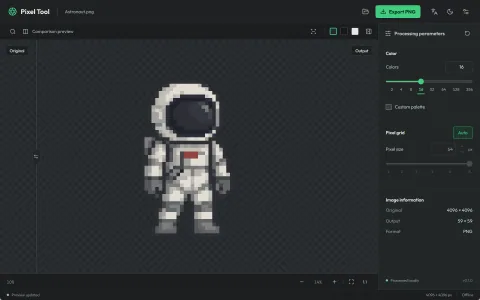 DesktopThe converter offline on Windows, with more settings.
Make your first animated sprite today
Sign up, verify your email and get 30 free credits to try the studio.