MCP server
Pixel art MCP server for AI agents
Let Claude, Cursor or any MCP client turn images into clean pixel art, generate sprites and animate them. Conversion is free with no account; generation and animation use your Gridize credits.
Endpoint
https://gridize.dev/api/mcpclaude_desktop_config.json
Claude desktop app: Settings → Developer → Edit Config, add this, then restart Claude. Needs Node.js 18 or later.
{
  "mcpServers": {
    "gridize": {
      "command": "npx",
      "args": [
        "-y",
        "gridize-mcp"
      ],
      "env": {
        "GRIDIZE_API_KEY": "YOUR_API_KEY"
      }
    }
  }
}The free tools need no key: leave out the Authorization header. For generation and animation, replace YOUR_API_KEY with a key from your account. Create an API key
Real outputs from the live server
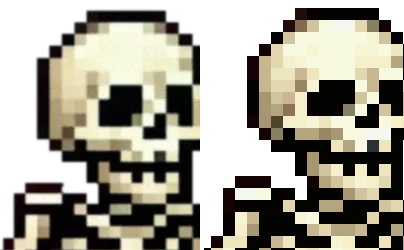
image_to_pixel_art
Snaps a blurry or AI-made image to a clean pixel grid. Free, no account.

generate_pixel_art
"a knight with a blue shield" at 32 px, in about a minute for 8 credits.

animate_sprite
"walks to the right in a loop": an 8-frame loop picked from 33 rendered frames, in about two minutes for 30 credits.
How to use it
Add the server
Paste the endpoint into your client's MCP settings. Nothing to install and nothing runs on your machine.
Ask in plain words
"Turn this screenshot into pixel art with the PICO-8 palette." The agent picks the tool and gets a PNG back.
Add a key to generate
Sign up for free trial credits and create an API key; your agent can then generate and animate sprites.
Tools
image_to_pixel_art
Turns a PNG, JPEG or WebP up to 1024 px into native-size pixel art, with automatic pixel size, a color limit or one of 25 palettes. Free.
list_palettes
Lists the 25 palette presets, such as PICO-8, NES and Game Boy, with their colors. Free.
generate_pixel_art
Makes 1 or 4 sprites at 16, 32 or 64 px from a prompt in any language: 8 credits for one, 20 for four.
animate_sprite
Animates a sprite from a motion prompt, such as walk, idle, attack or a spell: 30 credits up to 33 frames.
get_animation
Returns the finished loop as a GIF and, on request, every frame as a PNG. Failed clips are refunded.
get_credits
Shows your credit balance and what each tool costs.
FAQ
MCP server FAQ
Not for image_to_pixel_art and list_palettes: they are free, limited to 10 calls a minute per address. Generating and animating need an account and an API key, because they use credits.
The same as in the studio: 8 credits for one sprite, 20 for four, 30 credits for an animation of up to 33 frames. New accounts get 30 free credits after verifying their email. Failed animations are refunded.
Any client that supports remote MCP servers over Streamable HTTP, including Claude Code, Codex, Antigravity, Cursor and Claude. Clients that cannot send headers can use the free tools.
Images sent to the converter are processed in memory and not stored. Generated sprites and animations are saved to your Gridize library, as in the studio, so you can change timing or export sprite sheets later.
The converter takes images up to 1024 px on the longer side and 10 MB. Animation takes a PNG sprite of 16–256 px at native pixel size; run a larger image through image_to_pixel_art first.
More pixel art tools
 AI pixel art generatorDescribe a character and get game-ready pixel sprites in seconds.
 Pixel art animationTurn any sprite into idle, attack or spell animations.
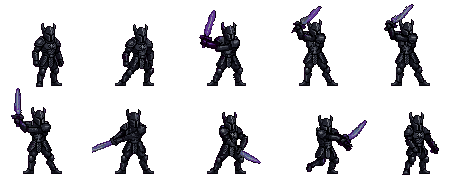 Sprite sheet generatorExport animations as sprite sheets with frame timing JSON.
 Text to pixel artFreeFree 16x16 and 32x32 sprites from a prompt, in your browser
- Image to pixel artFreeTurn any image into clean pixel art, right in your browser.
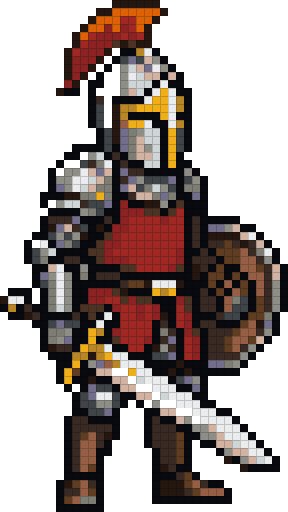 Minecraft pixel artFreeImages to block builds with a block list and commands.
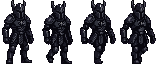 Sprite sheet makerFreePack frames or a GIF into one sprite sheet with frame JSON.
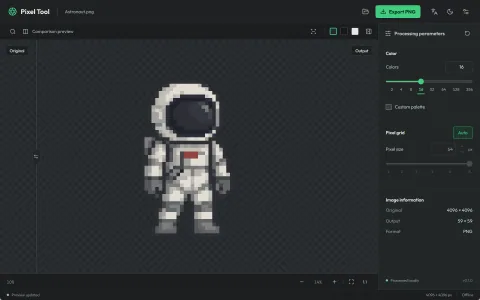 DesktopThe converter offline on Windows, with more settings.
Make your first animated sprite today
Sign up, verify your email and get 30 free credits to try the studio.