Free · No sign-up
Resize pixel art without blur
Scale pixel art up by whole numbers so every pixel stays a sharp square, or drop in art that was already enlarged and get it back at one pixel per cell. Free, with no sign-up, and nothing is uploaded.
Drop pixel art to resize
Or paste it. PNG, GIF, WebP or BMP, up to 4096 px.
Runs in your browser. Images are never uploaded.
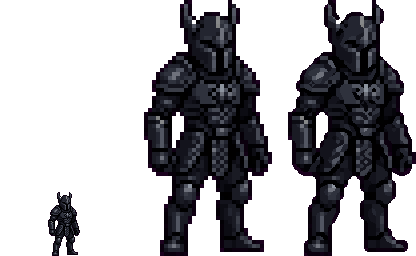
Original, sharp 4× and smooth 4×
How to resize pixel art
Add your sprite
Drop, paste or choose a PNG. The tool measures how many screen pixels make one art pixel.
Pick a scale
Choose 1× for the real size or any whole number up to 32×, with sharp or smooth edges.
Download
Save a PNG named with its new size, ready for a game, a store page or a post.
A pixel art scaler that keeps every pixel square
Whole-number upscaling
Every pixel becomes an exact block of 2×2 up to 32×32, so no pixel ends up wider than its neighbour.
Shrink upscaled art back
The pixel size is detected automatically, so a sprite saved at 400% comes back at its native size in one step.
Scale2x and Scale3x
Smooth mode rounds diagonal steps at 2×, 3× and 4× without adding colours outside the original palette.
Transparency kept
Transparent pixels stay transparent and the output is a lossless PNG with the same colours.
Private by design
Images never leave your device, and there is no sign-up or watermark.
Need a sprite first?
Generate one in the Gridize studio or animate an existing sprite, then resize the result here.
FAQ
Pixel art resizer FAQ
Scale by a whole number with nearest neighbour: each pixel becomes a square block of 2×2, 3×3 and so on, with no blending. Sizes like 150% make some pixels wider than others, so this tool offers whole numbers only.
Yes. The tool finds the size of the blocks the image is made of and shows it as the pixel size; choose 1× to download the art at one pixel per cell. This needs an exact upscale. For blurry, JPG or AI-generated images, use the image to pixel art converter, which rebuilds the grid.
Sharp is nearest neighbour and keeps the art exactly as drawn. Smooth uses Scale2x and Scale3x (also called EPX), which round off diagonal staircases at 2×, 3× and 4× and never add new colours.
For a game, keep 1× and let the engine scale it: use the Nearest filter in Godot or Point with no compression in Unity. For posts and store pages, upscale to about 1000 px so the site does not blur it when resizing.
It is free, with no account and no watermark. It reads PNG, GIF (first frame), WebP and BMP up to 4096 px and saves PNG up to 4096 px. Everything runs in your browser.
Yes. A sheet is one image, so every frame scales by the same factor and the cell size is multiplied too: 32 px cells become 128 px cells at 4×. Update the frame size in your engine to match.
More pixel art tools
 AI pixel art generatorDescribe a character and get game-ready pixel sprites in seconds.
 Pixel art animationTurn any sprite into idle, attack or spell animations.
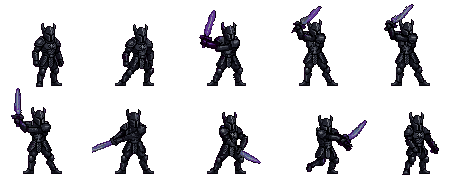 Sprite sheet generatorExport animations as sprite sheets with frame timing JSON.
 Text to pixel artFreeFree 16x16 and 32x32 sprites from a prompt, in your browser
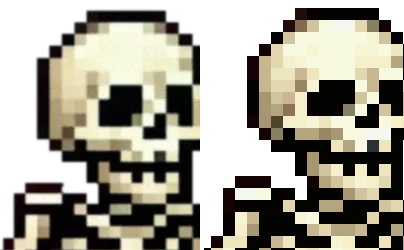 Image to pixel artFreeTurn any image into clean pixel art, right in your browser.
 Minecraft pixel artFreeImages to block builds with a block list and commands.
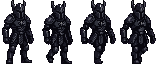 Sprite sheet makerFreePack frames or a GIF into one sprite sheet with frame JSON.
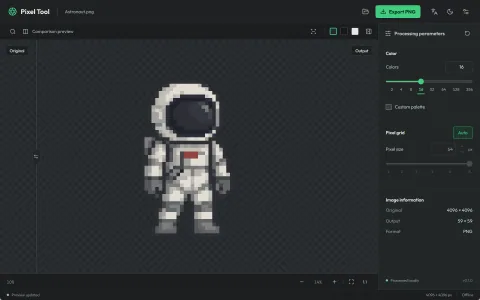 DesktopThe converter offline on Windows, with more settings.
Make your first animated sprite today
Sign up, verify your email and get 30 free credits to try the studio.